

Simple SlideShow

Τρίτη 3 Μαΐου 2016
Add an Icon to Blog Post Titles with CSS
Add an Icon to Blog Post Titles with CSS




Fully Customize The Post Titles
How To Fully Customize The Post Titles On Blogger
 Many of the templates both from the Blogger template designer and Custom templates leave
the post titles fairly standard.When it comes to fonts, sizes, colors
etc.. the post titles on almost all blogs have the same design.But you
can add some spice to your post titles without too much hard work and
adding even a few minor customizations can make all the difference.Every
Blogger template has a small piece of Css that controls how the Post
titles appear and by adding or changing small pieces of code we can
change the appearance.
Many of the templates both from the Blogger template designer and Custom templates leave
the post titles fairly standard.When it comes to fonts, sizes, colors
etc.. the post titles on almost all blogs have the same design.But you
can add some spice to your post titles without too much hard work and
adding even a few minor customizations can make all the difference.Every
Blogger template has a small piece of Css that controls how the Post
titles appear and by adding or changing small pieces of code we can
change the appearance.So in this post among other changes to your blog titles we will see, How To Change The Size, Change The Color, Change The Background Color or add A Background Image, Change The Font Family and more..
Σάββατο 12 Δεκεμβρίου 2015
Splitting Your Header Section into two different parts
Splitting Your Header Section into two different parts in Blogger

Change Font, Size, Color Of Sidebar Title
How To Change Font, Size, Color Of Sidebar Title In Blogger

Are you bored with your dirty
looking Sidebar? Sidebar is one of the core elements because it holds
all those widgets which have significant information about a website.
Let us assumes that a person arrived on your blog while navigating
through your articles he saw a junky looking Sidebar Heading. Hence, a
pleasant visit was turned into a horrifying one. Since, first impression
is the last impression. Therefore, it is essential to decorate your
Sidebar Headings with Correct Color Scheme and fonts. So, those who are
anxiously looking for a method of modifying their Blogger Blog’s Sidebar
Headings have arrived to the right place. In this article, we will
learn How to Change Sidebar Fonts, Color and Size in Blogger Platform.
Παρασκευή 27 Νοεμβρίου 2015
Optimize Titles Change Header Fonts h3-h2
Βελτιστοποιηση του τιτλου αλλαγη ετικετας απο h3 σε h2

Γιατι να το κανουμε αυτο; Θα σας εξηγησω αμεσως.
Οποιος εχει το seo quaqe στον περιηγητη του θα δει πως απο την αρχη ο blogger εχει τον τιτλο του blog με ετικετα h1 η οποια ειναι και η ποιο σημαντικια για το ρομποτ της google.
Τα καλυτερα seo optimization online εργαλεια στο ιντερνετ
Τρίτη 24 Νοεμβρίου 2015
Author Avatar in Post Title
Add Author Avatar Beside Post Title in Blogger
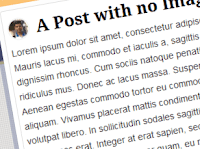.png) Today
I will show you how you can add author image beside the title of every
post of your blogger blog. This design hack looks really cool when there
are more than one author in a blog. It helps you to distinguish between
the authors of the post.
Today
I will show you how you can add author image beside the title of every
post of your blogger blog. This design hack looks really cool when there
are more than one author in a blog. It helps you to distinguish between
the authors of the post.The widget is fully automated so if you change your profile pic then the changes you want will take place.
CSS Hello Bar Clone
CSS Hello Bar Clone for Blogger

We have created a clone of this plugin but without using any JavaScript it is purely based on HTML and CSS. The plugin has many features such as Beautiful Design, Shadow effect, Compressed size to get faster load time etc. In case the bar irritates any of your visitor, it can be closed just by clicking on a single button.
Greek in Post Title
1. Τα Ελληνικά στον Τίτλο πάνω "Ανάρτηση" δεν τα καταλαβαίνει και έτσι η σελίδα εμφανίζει το όνομα στο λίνκ μόνο με τον αριθμό (εαν της βάλουμε)
ή πρέπει να χρησιμοποιήσουμε Αγγλικά.
2. Η μεταφορά του λινκ από τον "Μόνιμο σύνδεσμο" στην επεξεργασία της Ανάρτησης σε μιά άλλη σελίδα πέτυχε. (με αντιγραφή επικόληση) στην εισαγωγή "σύνδεσμος".
3. Στην 1η Ανάρτηση (1h Anarthsh) που είναι στα αγγλικά, ο μόνιμος σύνδεσμος αν και έχει κενό, συμπληρώθηκε με παύλα, και ο τίτλος όμως παρέμεινε ο ίδιος όπως τον είχαμε γράψει.
http://thetraveller-thomasgrm.blogspot.com/2015/10/1h-anarthsh.html
 test syndesmoy
Δουλεύει και ο σύνδεσμος στην σελίδα.
ή πρέπει να χρησιμοποιήσουμε Αγγλικά.
2. Η μεταφορά του λινκ από τον "Μόνιμο σύνδεσμο" στην επεξεργασία της Ανάρτησης σε μιά άλλη σελίδα πέτυχε. (με αντιγραφή επικόληση) στην εισαγωγή "σύνδεσμος".
3. Στην 1η Ανάρτηση (1h Anarthsh) που είναι στα αγγλικά, ο μόνιμος σύνδεσμος αν και έχει κενό, συμπληρώθηκε με παύλα, και ο τίτλος όμως παρέμεινε ο ίδιος όπως τον είχαμε γράψει.
http://thetraveller-thomasgrm.blogspot.com/2015/10/1h-anarthsh.html
 test syndesmoy
Δουλεύει και ο σύνδεσμος στην σελίδα.
Πέμπτη 19 Νοεμβρίου 2015
Icon in Post Title
ΠΡΟΣΘΕΣΤΕ ΕΙΚΟΝΑ ΠΡΙΝ ΤΟ ΤΙΤΛΟ ΤΗΣ ΑΝΑΡΤΗΣΗΣ

Big First Letter
ΜΕΓΑΛΩΣΤΕ ΤΗΝ ΑΡΧΗ ΠΑΡΑΓΡΑΦΟΥ

Αντιγράψετε τον κώδικα:
<style type="text/css">
span
{
float:left;
width:0.7em;
font-size:400%;
font-family:algerian,courier;
line-height:80%;
}
</style>
<span>Ε</span>δώ γράφετε το κείμενό σας.Γράψτε όλη την παράγραφο η το κείμενο, και το πρώτο γράμμα του κειμένου να μεγεθυνθεί.....
Με κόκκινα γράμματα είναι οι παράμετροι που μπορείτε να αλλάξετε...
μέγεθος:0.7em;
μέγεθος γράμματος:400%;
γραμματοσειρά : algerian,courier;
ύψος :80%;
το Ε είναι το γράμμα που μας ενδιαφέρει
Φυσικά αλλάζετε το κείμενο που έχω βάλει ενδεικτικά, με το δικό σας
Μπορείτε να κάνετε τις δοκιμές σας ΕΔΩ στο demo blog μου για δοκιμές HTML.
Τρίτη 17 Νοεμβρίου 2015
Scrolling Blog Title

Scrolling Title for Blog
Φίλοι bloggers στα βασικά blog μου, θα δείτε οτι ο τίτλος του blog δίπλα στο εικονίδιο (favicon) κινείται προς τα αριστερά, και είναι ένα πολύ όμορφο εφέ για την εμφάνιση της σελίδας σας….Πως γίνεται ; Δείτε παρακάτω…
Icon in Post Title

Εικόνα  στον τίτλο ανάρτησης
Φίλοι bloggers, απ” ότι βλέπετε και στον τίτλο, αυτής της ανάρτησης, μπορούμε στις αναρτήσεις του blogger, να βάζουμε και εικόνα μέσα στον τίτλο της ανάρτησης…Υπό προϋποθέσεις βέβαια, και να είναι σχεδιαστικά όμορφη, και συνεργάσιμη !!!1η προϋπόθεση να μην είναι μεγαλύτερος ο κώδικας από 100 χαρακτήρες…(Δεν είναι και απόλυτο αυτό, αφού με τον blogger ποτέ δεν ξέρεις) …Απ΄ότι βλέπετε το κολπάκι αυτό δουλεύει και στη πλατφόρμα WordPress…
2η προϋπόθεση, να χωράει στο χώρο του τίτλου….(Για να είναι εμφανίσημο, και να μην είναι οπτικά κακόγουστο)
Εγγραφή σε:
Αναρτήσεις (Atom)
Web TV Icons


Web Radio Icons


Slideshow

ΑΛΟΝΗΣΟΣ-1

ΑΛΟΝΗΣΟΣ-4


ΑΛΟΝΗΣΟΣ-5

ΑΛΟΝΗΣΟΣ-11

ΣΚΙΑΘΟΣ-22

ΣΚΙΑΘΟΣ-23

ΣΚΙΑΘΟΣ-1

ΣΚΙΑΘΟΣ-4

ΣΚΙΑΘΟΣ-20