Simple SlideShow

Mega Menu

PullDown menu(exei HTML)

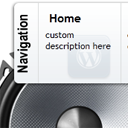
3D icon menu

Τετάρτη 16 Δεκεμβρίου 2015

Tiny jQuery Circleslider for Blogger


Tiny jQuery Circleslider for Blogger


Αποτέλεσμα εικόνας για Tiny jQuery Circleslider for BloggerTiny jQuery Circleslider for Blogger

http://helplogger.blogspot.gr/2013/10/how-to-add-tiny-jquery-circleslider-to.html

jQuery Expand/Collapse Sliding Panel


jQuery Expand/Collapse Sliding Panel


Αποτέλεσμα εικόνας για jquery-sliding-panelΈνα πολύ ωραίο μενού...


Creating CSS3 Slideout Menu


Creating CSS3 Slideout Menu #5


Creating CSS3 Slideout Menu #5CSS3 slideout menu tutorial. This is our fifth CSS3 menu. This will nice slideout menu with fading images (animated with transition effects). Make attention, that all these new effects (transitions) will work only in most fresh browsers like FF, Chrome, Safary browsers (possible in Opera too). But not in IE (transitions still not available here). I just added few hacks for IE – so menu will work here too (but not so smooth). Anyway – lets test our new menu.


Σάββατο 12 Δεκεμβρίου 2015

BACKGROUND SLIDER FOR BLOGGER

BACKGROUND SLIDER FOR BLOGGER
BACKGROUND SLIDER
Με τον παρακάτω κώδικα μπορείτε να προβάλετε όσες εικόνες θέλετε να εναλλάσονται σαν slides στη θέση του background του ιστολογίου σας. Την ταχύτητα εναλλαγής μπορείτε να την ρυθμίσετε αλλάζοντας το {speed: 400} ενώ το χρόνο που θα παραμένει κάθε φωτογραφία μπορείτε να τον ρυθμίσετε αλλάζοντας το [index]);}, 4000); Μπορείτε να αντικαταστήσετε τα πορτοκαλί links των εικόνων με τα δικά σας link εικόνων,
τα οποία καλό είναι να έχετε ανεβάσει στο Google+ για να έχετε την δυνατότητα να αλλάξετε τις διαστάσεις τους μέσα από τα link τους όπως έχω κάνει εγώ στα παρακάτω links εικόνων και τις έχω βάλει όλες σε μία μέση διάσταση 1600pxΧ1000px. Ο κώδικας πρέπει να μπεί μέσα στο πρότυπο πρίν την ετικέτα </head>.
ΔΕΙΤΕ ΤΟ BACKGROUND SLIDER ΣΕ ΛΕΙΤΟΥΡΓΙΑ ΣΕ ΑΥΤΟ ΤΟ DEMO BLOG


Δευτέρα 30 Νοεμβρίου 2015

Featured Images Slideshow-Slider

Featured Images Slideshow+Slider

Featured Images Slideshow-Slider


UPDATE: I updated some of my posts, this post I update 17+ Featured Content Slider for Blogger Using jQuery ..........
 

Smooth Featured Post Slideshow

Smooth Jquery Featured Post Slideshow For Blogger

This tutorial will shows you how to add featured content slideshow to show your featured post to your readers.This slideshow is very easy to setup and can easily manage width and height to match your template.Not only that you can change the speed of this slideshow easily.Default width is 550px and Default height is 200px.I think you will love this slideshow.You can see the DEMO of this widget from here.


Sliding Underlines


Sliding Underlines On Blogger And Wordpress

Tutorial Logo As someone constantly looking at design and ways to add to the design of blogs often it's the little things that amuse me.This post is definitely an example of that, something as simple as an underline sliding out under a heading or for that matter any text most would see mundane but I see as 'Cool'.So lets look at the effect, first up it's a very easy effect to use on your blog no code knowledge is needed.

Basically on any text on your blog you can make a sliding underline appear on hover (when you place the cursor over it).For me this effect works best on headings and links as these are the text visitors to your blog will hover on most.In future posts I may show how to add the effect to all links on your blog or maybe to Labels/Tags (Like the previous Bump effect for Blogger labels we published in 2011).

Παρασκευή 27 Νοεμβρίου 2015

Featured Content Slider

17+ Featured Content Slider for Blogger Using jQuery

You should already know about JQuery Featured Content Slider.Today we will see how to add 17+ jQuery featured content sliders / slideshows for your blog or website.Almost all bloggers use the contents, which included slider.Contents are a great way to show a lot of content in a smaller area of ​​a web page or a blog. Automatic sliding doors are dynamic content in many popular websites on the web.This is a great technique to represent different types of content in a limited space and a good way to involve the user.You have probably noticed that a lot of websites recently a working area with content that slides or changes in any way.

Animated Recent posts

Recent Post With Thumbnail Simple Spy


Animated recent post is a fantastic way to present headlines updates to your readers.The effect of smooth scrolling attract readers and generate more clicks to your site.This gadget displays your most recent posts and includes a small thumbnail, but has the added bonus of using an animated effect that moves smoothly through the posts.There are a lot of great tutorials discussing on how to add Animated Recent posts for blogger with thumbnails and Simple Spy, but most of the tutorials I've found are not really suitable for a beginner.


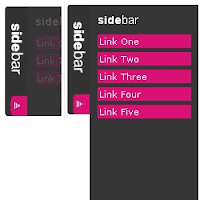
Sliding Side Bar Menu

Side Bar Menu Using Mootools

Show- hide, Smooth sliding and sexy. Menu bar with javascript and mootools. This post explains how to add Sexy Sliding JavaScript Side Bar Menu Using Mootools Widget on his blog that looks good on your blogspot blog.Be effective CSS vertical menu with show / hide uses MooTools to show / hide the menu with a vertical slide-in/slide-out nice effect.

About MooTools: "MooTools is a compact, modular, Object-Oriented JavaScript framework designed for intermediate to advanced JavaScript developer. It lets you write powerful, flexible, cross-browser code with its elegant API, well documented and consistent. ".
MooTools Home: Home Mootools.


Πέμπτη 26 Νοεμβρίου 2015

Recommended Post For You 2

Recommended Post For You Slider Widget For Blogger With Twitter / Facebook Button

Using the recommended post slider widget for blogger with twitter and facebook share buttons is another way of increasing your blog's pageviews and at the same time reduce its bounce rate. It works just like the popular post, most commented post, and Recent post widget for blogger. This blogger widget slides out when your visitors scroll down to the bottom of the page and each time the page or a new page is loaded, a different post appears on it. On this widget, the featured post has a facebook and twitter share buttons below it, which makes it easy for your readers to share your content. Also, with the minimize and maximize buttons on this widget, your readers can close or re-open the featured post. Here's How you can add this blogger widget on your blog.


Recommended Post For You

Προτεινομενη δημοσιευση για εσας widget
 Γεια σας φιλοι μου σημερα εχω ενα widget το οποιο θα κρατησει τους επισκεπτες σας περισσοτερη ωρα στο blog σας με αποτελεσμα  να πεσει το bounche rate και επομενως η καταταξη σας στην alexa.
 Εμφανιζεται οταν ο επισκεπτης παει κατω κατω στην αναρτηση σας στη δεξια μερια της οθονης.


Τετάρτη 25 Νοεμβρίου 2015

CSS3 Image Slider


CSS3 is a only thing which does not affect loading speed your blog.Today I have watched an amazing slider which totally works pure CSS3 i.e. no jQuery or no any heavy JavaScript is used.As it is made with pure CSS3 there are some things which make it little lower class than any other jQuery sliders such as we don't have control to see next/previous images also only one effect.But never forgot that it is made with pure CSS3 this is the biggest advantage of this slider.Below are some great features of this slider,

  1. It is made with pure CSS3.
  2. Fully customizable as it is made with CSS3.
  3. Stops on mouse hover
  4. Iframe allowed
  5. You can add caption and many other....
Now lets see how to add it to blogger blog,First see the demo of the slider.


Live Slider Demo

Τρίτη 24 Νοεμβρίου 2015

Automated Slider Posts

Fully Automated Slider for Sidebar of Blogger

So today I am posting a widget which I personally like too much. This widget is somewhat like the previous Featured Post widget I have posted but totally different in functioning. You can add this slider to your Sidebar. You just have to do 1 time customization unlike the previous widget. It is fully automated you just have to enter your blogs URL and the slider will keep updating the posts.

This widget is somewhat different. We normally use Sidebar for adding widgets like Popular Posts, Labels, Like box etc. but this time we would be adding a slider to the sidebar. This widget contains number of effects including Hover effect, Transition effect etc. You can change the number of slides to be shown. You can change the posts displayed for a specific label i.e. if you want to show only of a specific label you can by changing the settings.


Recent Posts Slider

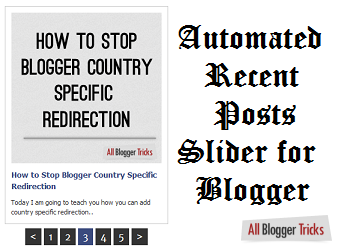
Automated Recent Posts Slider for Blogger

Posted On // 59 comments


The number of bloggers worldwide has increased tremendously. Many of us would have more than 1 blog. If yes this widget may help you a lot to share the traffic in both the blogs. Even if you don't have more than one blog you may add this widget to your very own blog. This will help your blog have less bounce rate and more pageviews.

Automated Recent Posts Slider is a widget for blogger which will show the recent posts of your desired blog with nice and awesome interface. This widget updates automatically and you do not have to edit the widget and add images, titles and description again and again. You just have to add the URL of the blog and your setup will be complete.


Responsive and Automated Slider Posts

Responsive and Automated Slider for Blogger

Slider Blogger
Hello friends. Today I am going to share a widget which many of the readers have requested to add. This widget is inspired by my previous widget.
This slider has a responsive layout and is very attractive. Its fully automated you just have to add the URL of your blog once and the images, titles and links will be updated on their own. This slider crawls and lists the recent posts of the blog. This widget looks somewhat like the one seen on engadget.com. This slider is very attractive and eye-catching too.


NIVO slider

 nivo slider για τον blogger


Εδώ έχω ένα slider για τον blogger πολύ όμορφο και πρακτικό. Μπαίνει σα gadget πάνω από τις αναρτήσεις σας η στο sidebar μικραίνοντας το μέγεθος του, και αλλάζει τις εικόνες που θα του υποδείξετε. Είναι πολύ χρήσιμο ιδιαίτερα για blog συνταγών και όχι μόνο. Για να βάλετε τις δικές σας φωτογραφίες πρέπει να αλλάξετε τα link με τα κόκκινα γράμματα με τα λινκ των δικών σας φωτογραφιών.

Post Slider No 1

POST SLIDER FOR BLOGGER No 1
POST SLIDER
Με τον παρακάτω κώδικα που μπορείτε να τον βάλετε απλά σαν gadget μπαίνει ένα post slider στο blog σας του οποίου τις διαστάσεις αλλάζετε σύμφωνα με το πλάτος που διαθέτετε. Απλά θα χρειαστεί να βάλετε περίπου 12px λιγότερο πλάτος από ότι διαθέτετε γιατί υπολογίζονται και τα κενά με το περίγραμμα. Η γραμματοσειρά αλλάζει μέγεθος εκεί που λέει· font-size:16px; Οι σύνδεσμοι που οδηγούν στην αναρτηση είναι με τα πράσιναγράμματα. Οι εικόνες των αναρτήσεων είναι με κόκκιναγράμματα.
Το φόντο του slider αλλάζει εκεί που λέει background-image: url(https://lh3... Και μπορεί να γίνει σκέτο χωρίς εικόνα φόντου δηλαδή έτσι background:  #661111; Ο τίτλος της ανάρτησης είναι με κίτρινα γράμματα και ο χρόνος εναλλαγής των slides είναι στο τέλος με πορτοκαλίνούμερο.

Page Navigation

3D Text

O KΩΔΙΚΑΣ HTML:

3D Text ΕΔΩ ΓΡΑΨΕΤΕ ΤΟ ΚΕΙΜΕΝΟ ΣΑΣ

Marquee Text-Icons

Thomasgrm.Blogger.gr

FlashVortex Banner

Tab Widget

ΕΔΩ ΤΟ ΠΕΡΙΕΧΟΜΕΝΟ ΤΟΥ ΤΑΒ 1
ΕΔΩ ΤΟ ΠΕΡΙΕΧΟΜΕΝΟ ΤΟΥ ΤΑΒ 2
ΕΔΩ ΤΟ ΠΕΡΙΕΧΟΜΕΝΟ ΤΟΥ ΤΑΒ 3

Tab Widget 2

ΕΔΩ ΤΟ ΠΕΡΙΕΧΟΜΕΝΟ ΤΟΥ ΤΑΒ 1
ΕΔΩ ΤΟ ΠΕΡΙΕΧΟΜΕΝΟ ΤΟΥ ΤΑΒ 2
ΕΔΩ ΤΟ ΠΕΡΙΕΧΟΜΕΝΟ ΤΟΥ ΤΑΒ 3
ΕΔΩ ΤΟ ΠΕΡΙΕΧΟΜΕΝΟ ΤΟΥ ΤΑΒ 4

Carousel POST SLIDER

Slideshow

  • ΑΛΟΝΗΣΟΣ-1

    ΑΛΟΝΗΣΟΣ-1

  • ΑΛΟΝΗΣΟΣ-4

    ΑΛΟΝΗΣΟΣ-4

  • ΑΛΟΝΗΣΟΣ-5

    ΑΛΟΝΗΣΟΣ-5

  • ΑΛΟΝΗΣΟΣ-11

    ΑΛΟΝΗΣΟΣ-11

  • ΣΚΙΑΘΟΣ-22

    ΣΚΙΑΘΟΣ-22

  • ΣΚΙΑΘΟΣ-23

    ΣΚΙΑΘΟΣ-23

  • ΣΚΙΑΘΟΣ-1

    ΣΚΙΑΘΟΣ-1

  • ΣΚΙΑΘΟΣ-4

    ΣΚΙΑΘΟΣ-4

  • ΣΚΙΑΘΟΣ-20

    ΣΚΙΑΘΟΣ-20

- See more at: http://gadgetsforblogs1.blogspot.gr/2015/01/slideshow-with-thumbnails.html#more

BACKGROUND SLIDER

Menu Posts Vertical - ACCORDION MENU