Simple SlideShow

Mega Menu

PullDown menu(exei HTML)

3D icon menu

Τρίτη 3 Μαΐου 2016

Add a line to separate Blogger sidebar widgets

Add a line to separate Blogger sidebar widgets

sidebar widget with line Add a line to separate Blogger sidebar widgetsThis tutorial shows you how to add a line between the widgets in your sidebar. This can only be altered in the template code, or by adding some css using the Template Designer. I do not advise you alter it directly in the html code unless you know what you’re doing. Always use the Template Designer if you can.

Note that the html directions were written for the new Simple template, but should be transferable to most of the other template styles too.

Σάββατο 12 Δεκεμβρίου 2015

Create Custom Webkit Scrollbar in Blogger Blog

How to Create Custom Webkit Scrollbar in Blogger Blog

Do you want to enhance the Scroll bar of your website? Scroll bar appears at the right side of the screen and, it allows users to scroll down the page whenever they drag there mouse up or down the page. To provide a user-friendly experience to your visitors, it is essential to have a Smooth Scroll bar. However, there is no doubt that Custom Scroll bar does the job quite handsomely, but it is not perfect. Few days ago, our reader informed us about the colorful Webkit Scrollbars that he has seen on different websites. Furthermore, he also requested us to develop a similar one. Therefore, in this article we will learn How to Create Customize Webkit Scrollbar in Blogger BlogSpot Blog?

Change Font, Size, Color Of Sidebar Title

How To Change Font, Size, Color Of Sidebar Title In Blogger

Are you bored with your dirty looking Sidebar? Sidebar is one of the core elements because it holds all those widgets which have significant information about a website. Let us assumes that a person arrived on your blog while navigating through your articles he saw a junky looking Sidebar Heading. Hence, a pleasant visit was turned into a horrifying one. Since, first impression is the last impression. Therefore, it is essential to decorate your Sidebar Headings with Correct Color Scheme and fonts. So, those who are anxiously looking for a method of modifying their Blogger Blog’s Sidebar Headings have arrived to the right place. In this article, we will learn How to Change Sidebar Fonts, Color and Size in Blogger Platform. 


Floating "Sticky" Sidebar Widget in Blogger

How to Create a Floating "Sticky" Sidebar Widget in Blogger

Elements that float along your screen are pretty cool and attention grabbing. They are more commonly known as the “Sticky” floating widgets that stick to your screen as you scroll and tend to have a higher click through rate. This is the reason why at MyBloggerLab, we are using a Floating subscription widget in the sidebar that has been quite useful for us. Many of our users kept on emailing us about how they can create a “Sticky” floating sidebar widget in Blogger. In the past, we have already shown you how to make a Sticky Floating Footer bar in Blogger. In this article, we will show you how to create a floating “sticky” Sidebar widget in Blogger?

Remember: This works pretty well with all kinds of widgets present in your sidebar. It is not necessary that a person can only use if for email subscription boxes. You can use it for promotion of your items, galleries, popular posts, Instagram photos, and basically everything that you wish for. 

Add a jQuery Tabbed Sidebar Widget in Blogger

How to Add a jQuery Tabbed Sidebar Widget in Blogger

Have you ever seen those blogs that has a tabbed widget area in the sidebar consisting of popular, recent and features posts within a single click? It is more commonly known as jQuery Tabbed widget, which allows you to save a lot of space in the sidebar keeping the interface user friendly for your users by combining 3 different widgets into just one. In this article, we will be showing you how to add a jQuery Tabbed Sidebar Widget in Blogger.

Παρασκευή 27 Νοεμβρίου 2015

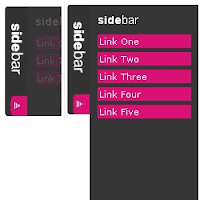
Sliding Side Bar Menu

Side Bar Menu Using Mootools

Show- hide, Smooth sliding and sexy. Menu bar with javascript and mootools. This post explains how to add Sexy Sliding JavaScript Side Bar Menu Using Mootools Widget on his blog that looks good on your blogspot blog.Be effective CSS vertical menu with show / hide uses MooTools to show / hide the menu with a vertical slide-in/slide-out nice effect.

About MooTools: "MooTools is a compact, modular, Object-Oriented JavaScript framework designed for intermediate to advanced JavaScript developer. It lets you write powerful, flexible, cross-browser code with its elegant API, well documented and consistent. ".
MooTools Home: Home Mootools.


Τρίτη 24 Νοεμβρίου 2015

Custom Text Ads Box

Custom Text Ads Box like Adsense

Posted On // 1 comment


text ads box
Many of you may have seen Google Adsense text ads in other or your blog. Today I will show you how you can add Text Ads Box widget to your blogger blog. In this widget you can edit everything i.e. the colors, Title text, Description, Ads provider etc. etc. If you sell text links on your blog this widget may be quite helpful for you.


Σάββατο 21 Νοεμβρίου 2015

Hide SideBars in Posts

ΠΩΣ ΚΡΥΒΩ ΤΙΣ ΠΛΕΥΡΙΚΕΣ ΜΠΑΡΕΣ ΚΑΙ ΚΕΡΔΙΖΩ ΠΛΑΤΟΣ ΑΝΑΡΤΗΣΗΣ

ΠΩΣ ΚΡΥΒΩ ΤΙΣ ΠΛΕΥΡΙΚΕΣ ΜΠΑΡΕΣ ΚΑΙ ΚΕΡΔΙΖΩ ΠΛΑΤΟΣ ΑΝΑΡΤΗΣΗΣ.
ΠΛΑΤΟΣ ΑΝΑΡΤΗΣΗΣ
Αν έχουμε κάποιες αναρτήσεις που απαιτούν μεγαλύτερο πλάτος μπορούμε να κρύψουμε την μία ή και τις δύο πλευρικές πλαϊνές μπάρες για να μεγαλώσει το πλάτος της κεντρικής ανάρτησης και να χωρέσουν όλα τα δεδομένα χωρίς να βγαίνει μπάρα κύλισης στο κάτω μέρος της ανάρτησης. Παρακάτω υπάρχουν 3 κώδικες οι οποίοι μπαίνουν στο τέλος της ανάρτησης μετά το </div>. Ο πρώτος κρύβει τη αριστερή μπάρα ο δεύτερος την δεξιά και ο τρίτος κρύβει και τις 2 πλευρικές μπάρες.
 

Πέμπτη 19 Νοεμβρίου 2015

Floating Sidebar Widget

ΠΩΣ ΒΑΖΩ ΑΝΑΔΥΟΜΕΝΟ WIDGET No 2
FLOATING WIDGET
Με τον παρακάτω κώδικα μπορείτε να βάλετε ένα αναδυόμενο widget στα δεξιά ή στα αριστερά του blog σας το οποίο όταν πλησιάζετε το ποντίκι στην άκρη του ιστολογίου σας θα αναδύεται ένα ή περισσότερα widgets. Μπορείτε να βάλετε βίντεο, παρουσιάσεις, έγγραφα word, excel, pdf, ημερολόγια, χάρτες, facebook like box, google+ followers box, chat, forum και γενικώς ότι προσφέρεται σε κώδικα HTML /  javascript. Ο κώδικας των widgets πρέπει να μπεί στο τέλος μεταξύ των <div class="floatingbox"> και του </div>.
Πρέπει δηλαδή να διαγράψετε τον δικό μου κώδικα του φύλλου excel και να βάλετε τον δικό σας κώδικα. Επίσης πρέπει να αλλάξετε τις διαστάσεις με τα γαλάζια γράμματα εκεί που γράφει right: "-510" και width:510px; και την θέση που θα εμφανίζεται το widget εκεί που γράφει top:30px; Προσέξτε αν έχετε ήδη ένα script jquery παραλέιψτε την πρώτη γραμμή του κώδικα.
ΔΕΙΤΕ ΕΔΩ ΤΟ FLOATING WIDGET FOR SIDEBAR ΣΕ ΛΕΙΤΟΥΡΓΙΑ ΣΕ ENA DEMO BLOG
<script src="https://ajax.googleapis.com/ajax/libs/jquery/1.7.2/jquery.min.js" type="text/javascript"></script>
<script type="text/javascript">
$(document).ready(function() {$(".floatingbox").hover(function() {$(this).stop().animate({right: "0"}, "medium");}, function() {$(this).stop().animate({right: "-510"}, "medium");}, 500);});
</script>
<style>
.floatingbox{
background: url("https://blogger.googleusercontent.com/img/b/R29vZ2xl/AVvXsEiOGVAWp-1Y0z3ZRJE3Lg5M7mq27w1aA089eypwrtbsdZI5uNhME-V4gV524jEskD3Bnb4D_Op6eA-Aoe3G4_AE3Xjkg6Cuq-sAOIQ-aQdjMmfow01JucuqHjMOOIcQRMKbuRPcmcp6beK2/w30-h120-no/POSTS.JPG")
no-repeat scroll left top transparent !important;
display:block;float:right;height:auto;padding: 0 0 0 30px;width:510px;
z-index: 99999;position:fixed;right:-510px;top:30px;}
.floatingbox div{border:none;position:relative;display:block;}
</style>
<div class="floatingbox">
<iframe frameborder="0" width="510" height="700"  src="https://docs.google.com/spreadsheets/d/1250n3upxFNUwA50hSL73OZK0fvXv0CHmFF1OTE_443M/pubhtml?gid=898874275&amp;single=true&amp;widget=true&amp;headers=false"></iframe>
</div>

Τρίτη 17 Νοεμβρίου 2015

Scrolling Sidebar widget


scrollingside 300x139 ScrollingSidebar widget

ScrollingSidebar widget

Φίλοι bloggers, ο παρακάτω κώδικας σας δίνει τη δυνατότητα, να  “ρολάρουν” κάποια widgets που θα έχετε βάλει στη sidebar (πλαϊνή μπάρα)…Μπορείτε να βάλετε περισσότερα από ένα, και όταν ρολάρετε το ποντίκι σας προς τα κάτω, αυτά να φαίνονται συνέχεια στο πλάι ….(ένα έξυπνο και χρήσιμο gadget για τα share buttons η μερικές εικόνες)…DEMO ΕΔΩ

Page Navigation

3D Text

O KΩΔΙΚΑΣ HTML:

3D Text ΕΔΩ ΓΡΑΨΕΤΕ ΤΟ ΚΕΙΜΕΝΟ ΣΑΣ

Marquee Text-Icons

Thomasgrm.Blogger.gr

FlashVortex Banner

Tab Widget

ΕΔΩ ΤΟ ΠΕΡΙΕΧΟΜΕΝΟ ΤΟΥ ΤΑΒ 1
ΕΔΩ ΤΟ ΠΕΡΙΕΧΟΜΕΝΟ ΤΟΥ ΤΑΒ 2
ΕΔΩ ΤΟ ΠΕΡΙΕΧΟΜΕΝΟ ΤΟΥ ΤΑΒ 3

Tab Widget 2

ΕΔΩ ΤΟ ΠΕΡΙΕΧΟΜΕΝΟ ΤΟΥ ΤΑΒ 1
ΕΔΩ ΤΟ ΠΕΡΙΕΧΟΜΕΝΟ ΤΟΥ ΤΑΒ 2
ΕΔΩ ΤΟ ΠΕΡΙΕΧΟΜΕΝΟ ΤΟΥ ΤΑΒ 3
ΕΔΩ ΤΟ ΠΕΡΙΕΧΟΜΕΝΟ ΤΟΥ ΤΑΒ 4

Carousel POST SLIDER

Slideshow

  • ΑΛΟΝΗΣΟΣ-1

    ΑΛΟΝΗΣΟΣ-1

  • ΑΛΟΝΗΣΟΣ-4

    ΑΛΟΝΗΣΟΣ-4

  • ΑΛΟΝΗΣΟΣ-5

    ΑΛΟΝΗΣΟΣ-5

  • ΑΛΟΝΗΣΟΣ-11

    ΑΛΟΝΗΣΟΣ-11

  • ΣΚΙΑΘΟΣ-22

    ΣΚΙΑΘΟΣ-22

  • ΣΚΙΑΘΟΣ-23

    ΣΚΙΑΘΟΣ-23

  • ΣΚΙΑΘΟΣ-1

    ΣΚΙΑΘΟΣ-1

  • ΣΚΙΑΘΟΣ-4

    ΣΚΙΑΘΟΣ-4

  • ΣΚΙΑΘΟΣ-20

    ΣΚΙΑΘΟΣ-20

- See more at: http://gadgetsforblogs1.blogspot.gr/2015/01/slideshow-with-thumbnails.html#more

BACKGROUND SLIDER

Menu Posts Vertical - ACCORDION MENU